
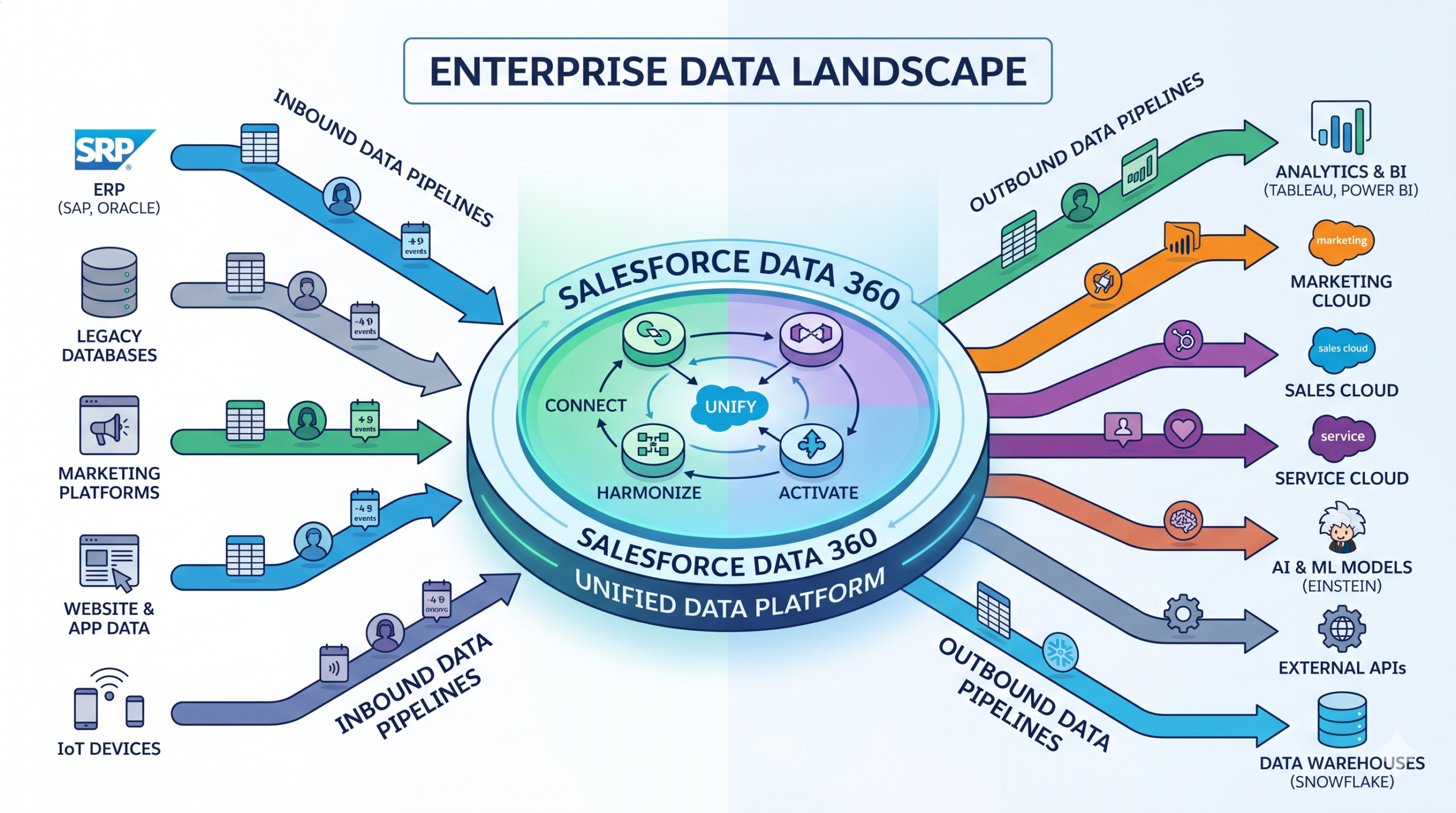
Salesforce Data 360 (formerly Salesforce Data Cloud) is one of the most talked-about platforms in the Salesforce ecosystem right now. With Salesforce aggressively pivoting to an AI-first model, Data 360 occupies a central role as the primary engine driving that change. For those who aren’t familiar, Data 360 is Salesforce’s data engine and native customer data platform with features like zero copy integration with external data warehouses like Snowflake, BigQuery, Databricks and real time profile unification capabilities across disparate data sources. For enterprises invested in the Salesforce ecosystem, Data 360 can serve as a central hub to gather, transform and segment data while also acting as a information funnel to power targeted AI experiences for customers.
Recently, we put Data 360’s capabilities to the test as part of an implementation for a client that operates in the transportation industry. The client was a modern tech company with a bespoke ride and transaction management engine that was built in-house and powered their transportation service and integrated with a customer facing mobile application.
Data 360 was initially setup to ingest, unify and segment users but the client soon ran into severe latency issues, especially with regards to being able to act on user data to control access to their service. Our mandate was simple: identify and fix systemic bottlenecks and reduce end-to-end process latency.
By the end of the engagement, we reduced the end to end latency by more than 60%. Here are six takeaways from that implementation experience:
1. DLO vs DMO – Understanding The Underlying Difference Is Key
In very simple terms, a DLO is what persists the data within the Data 360 lakehouse tables while a DMO is a virtual entity that surfaces that data over to other Salesforce processes like Data 360 Triggered flows. Multiple DLOs can map into a single DMO, so the DMO is basically akin to an in-memory data structure that can be passed around for further operations. As a consequence, if you delete a DLO, every record from its mapped DMO is emptied out. Therefore, plan ahead and strategize accordingly.
2. Real Time vs Non-Real Time Layer In Salesforce Data 360
Data 360 has a layered architecture with mutually independent data frameworks powering the real time and non-real time experiences for users. The typical IDR job is considered non-real time and therefore operates out of the lakehouse version of the data framework. The entire real time layer, however, has nothing to do with the lakehouse framework and operates independently. In terms of implementation consideration for the real time layer, don’t pick it if you want to segment on persisted data and stick to the regular IDR and manual segmentation workflow.
3. SSRT And Real Time Layer Behavior In Salesforce Data 360
SSRT stands for Sub-Second Real Time and it represents an enhanced form of streaming ingestion that avoids the typical 2 min streaming latency for ingestion and brings data into the DLOs under a second. The important thing to note is that there isn’t really a configuration or ingestion mode to be enabled in Setup for SSRT ingestion to start. The ingestion mode continues to remain as Streaming in Setup, but any DMOs that are included in the real time layer start pulling in the streaming data with a sub-second latency, thereby laying the foundation for the rest of the real time pipeline to proceed.
Also as noted in #2 above, the entire real time pipeline, including Sub-Second Real Time ingestion, Real Time Unification and Real Time Identity Resolution is transient. Contrary to the regular identity resolution job that runs on top of persisted Lakehouse data, the real time pipeline only acts like a rapid information highway with quick stops along the way and an external target destination. None of the data that enters this pipeline gets persisted in any Data 360 Lakehouse tables.
4. Deprecating Existing Data Pipelines Is Slightly Complex
To deprecate any active mapped data streams all existing field mappings from the DLO must be severed, which will inevitably cause a loss of data. Existing data must be duplicated using a Batch Data Transform ahead of time before field mappings are removed and the original data stream is finally deleted. In our case, an active Marketing Cloud connection that leveraged the out of the box connector could still not be disconnected despite delinking all the mapped fields. Our final approach was to avoid saving any new data into the active Data Extension within Marketing Cloud so that the connection does not swing into action and continue to pump data into Data 360.
5. Pre-built Data Actions Under The Hood Power Data 360 Triggered Flows
Salesforce recently launched Data 360 Triggered Flows (DTF) that run when data changes in a DMO, giving Salesforce admins the ability to trigger org specific processes including Apex, that are typically possible in Salesforce flows. An interesting tidbit based on a conversation with the Salesforce product team is that that they are using pre-built Data Actions internally to achieve this functionality.
6. Streaming & Batch Data Transforms Are Useful Tools, But Take Note Of The Quirks
Streaming transforms work best on Engagement type DLOs and our effort to use it on Profile type DLOs did not work. It is unclear if this is a known limitation. Batch data transforms are perfect for large scale asynchronous data update needs, but both batch and streaming transforms cannot read from and write into the same object. When planning a data migration from a legacy DLO or DMO, it is important to note the modeling changes needed, especially when that data is being used in subsequent processes.
Data 360 is powerful, but it rewards implementers who reads the documentation like a lawyer reads a contract. The gotchas are real, and some of them aren’t in the docs.
Image credit: Gemini Nano Banana

Salesforce architect and tech lead. Nine years of implementations in banking, life sciences, and high-tech. Building Label Alchemy, a VS Code extension that turns hardcoded Salesforce strings into Custom Labels.